.png?width=300&height=65&name=GG%20Logo%20Main%20Navy%20(1).png)
Sometimes administrators who use the system more regularly may find it helpful to extend their login session times on the web platform. By default, web platform sessions automatically time out after 10-15 minutes as a security measure.
To extend the login session time for a specific user, follow these steps:
- From the Admin Panel, click "Users."
- Enter the user's email address or name in the search field.
- Once found, click the edit icon.

- Enable the "Has Extended Session" toggle.
- Click "Next" until the "Save" option appears, then click "Save."
A green confirmation pop-up will appear to confirm the change for extended sessions has been applied. You may need to refresh your screen to for the changes to take effect.
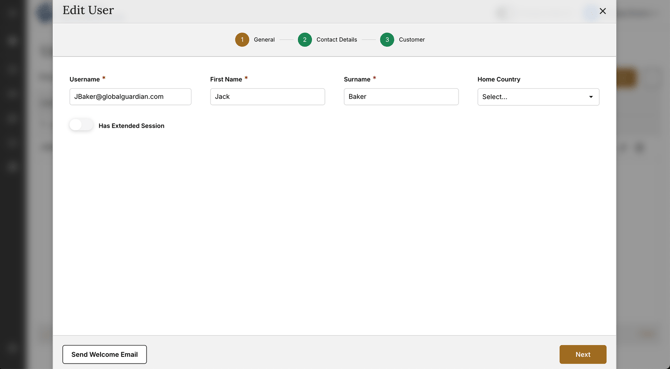
The Extended Session toggle option is only available for Customer Administrator roles in the platform.