.png?width=300&height=65&name=GG%20Logo%20Main%20Navy%20(1).png)
When a new alert is created in the platform, administrators can receive an email containing details of the alert, including a table showing how many assets are affected by the alert and a link to view full details.
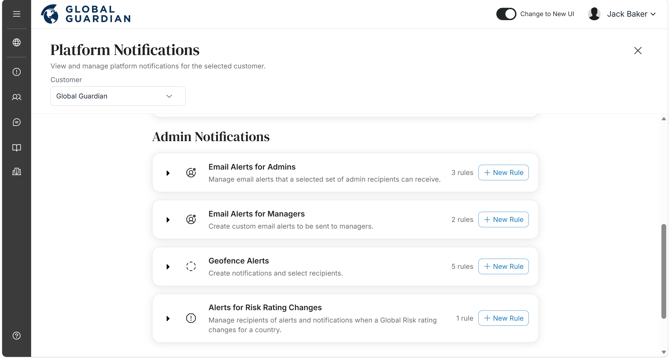
Access by going to the Admin Panel and selecting "Platform Notifications." Under "Admin Notifications" you will find "Email Alerts for Admins." Select "+ New Rule" and a variety of options are available to set as preferences:
- Alert Risk Levels: Select destinations by risk level for which administrators will be informed of booked travel.
- Specific Locations: Select the countries/cities for which administrators would like to be notified of booked travel.
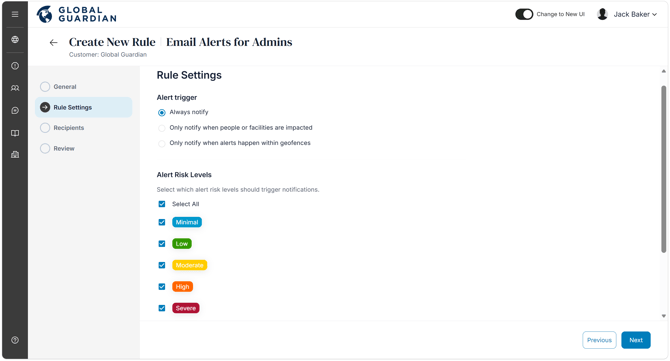
Toggle on the relevant risk levels and administrators will receive notifications for and/or be able to select which countries/cities. You can also edit the list of recipients to receive these emails. Only customer administrators are able to receive admin alert email notifications.
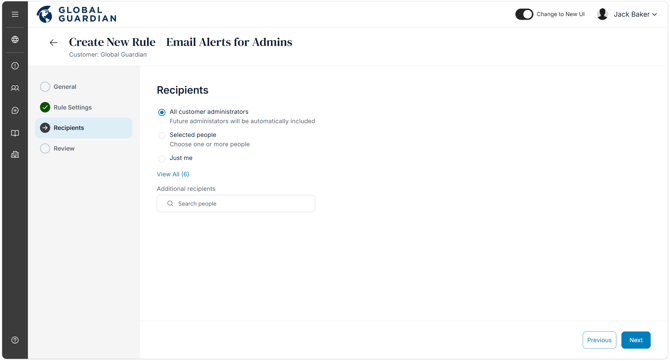
Review and save your admin email alert rule. On the platform notifications page, you will see an overview of all alert rules. Click the drop down to see the list of alert rules you have created per type: