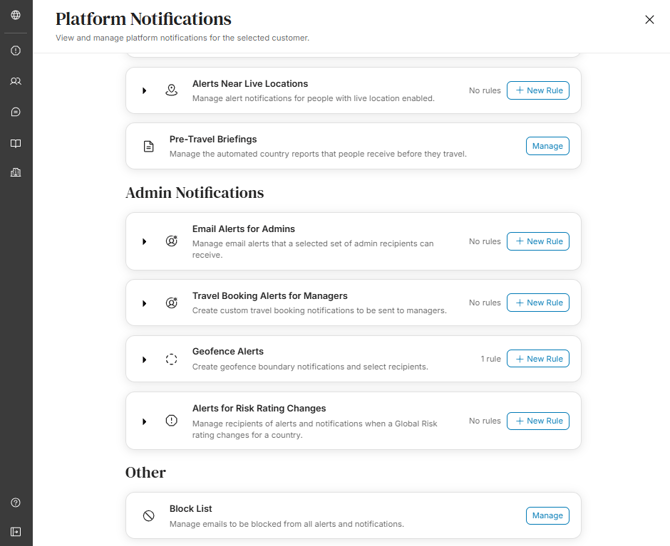
Administrators can receive notifications when specific itineraries are processed to the platform, whether through manual creation or automatically through the travel management company. Administrators can create as many custom notification rules as needed.
Access by going to the Admin Panel and selecting "Platform Notifications." Under "Admin Notifications" you will find "Email Alerts for Managers." Select "+ New Rule" and a variety of options are available to set as preferences:
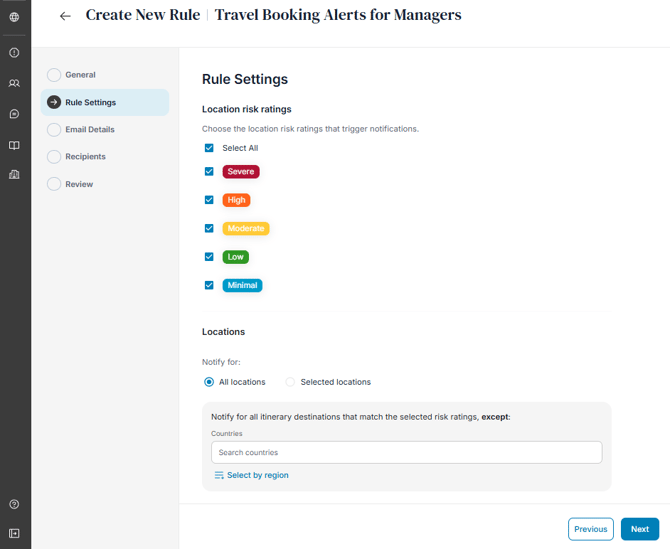
- Location Risk Ratings: Select destinations by risk level for which administrators will be informed of booked travel.
- Locations:
- Select specific countries which apply to the selected risk levels by entering them into the search box or bulk select by region.
- There is also an option to override alert risk level settings by enabling the toggle "Select additional locations regardless of alert risk level". This ensures that even if the alert risk criteria are not met, the user will still receive email alert notifications based on their travel itinerary. This setting is helpful when travelling to countries that are moderate-risk overall but may have regions which are higher risk or prone to spontaneous events that could increase the risk to those nearby.
- You can also exclude sending alert emails to persons where the alert matches their home country by enabling the toggle "Exclude each person's home country".
- Affected People: Select a specific user in the platform to be notified of their travel when it is processed into the platform.
- Segment Limits: Set the limits for the number of users on the same segment, zero indicates no limit.
- Tag Limits: Set limits for each tag below.
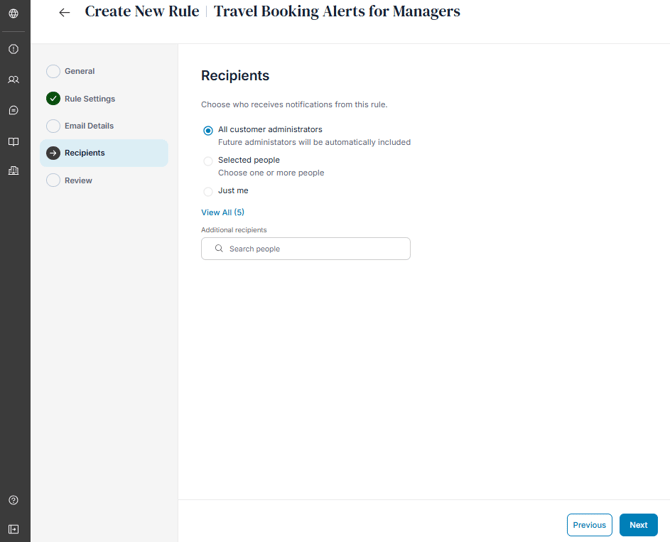
You can also edit the list of recipients to receive these emails. Only customer administrators are able to receive admin alert email notifications.
On the platform notifications page, you will see an overview of all alert rules. Click the drop-down to see the list of alert rules you have created per type: