.png?width=300&height=65&name=GG%20Logo%20Main%20Navy%20(1).png)
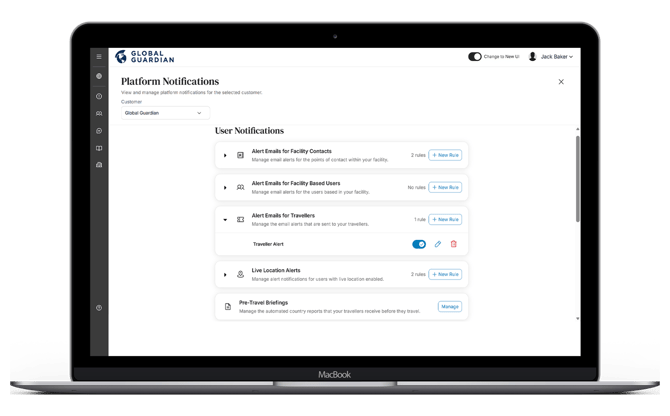
Users can be set up to receive alert emails according to their destination and travel duration. Under Platform Notifications > "Alert Emails for Travellers" in the admin panel, administrators can manage and enable this for all users. These alert email notifications will only be sent to users who have a relevant travel itinerary in the platform.
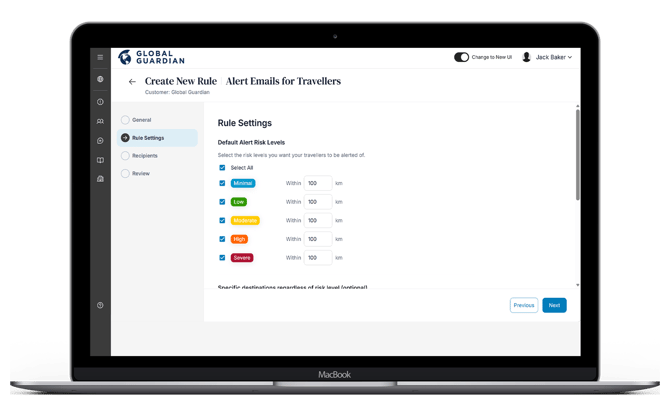
There are a variety of options available to control which alert emails are sent to users, ensuring they receive information which is most important to them or may impact their travel.
These include:
- A sliding scale to set how many days in advance users will start receiving alert emails prior to their arrival in country.
- An option to allow users to unsubscribe from alert emails. If switched off, there will be no option to unsubscribe from alert emails based on your travel itinerary.
- Alert Risk Levels: Select risk level for which administrators will be informed of if a user or asset is impacted by an alert.
- Alert Categories: Select a categories or which administrators would be informed of if a user or asset is impacted by an alert.
- Keywords: Enter key words or phrases that may be contained in an alert to be informed or excluded to an administrator if is it within the alert.
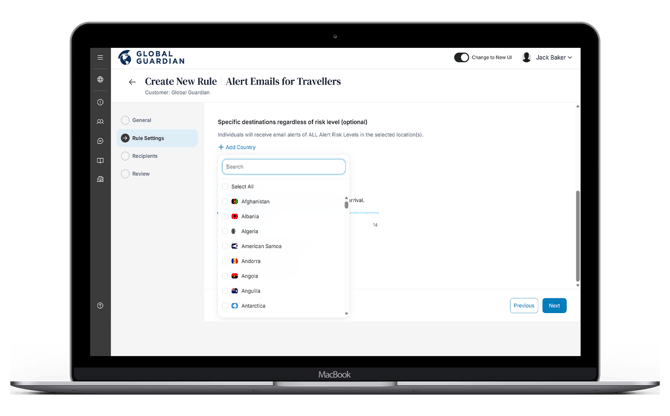
There is also an option to override alert risk level settings by selecting specific countries. This ensures that even if the alert risk criteria are not met, the user will still receive email alert notifications based on their travel itinerary. This setting is helpful when travelling to countries that are moderate-risk overall but may have regions which are higher risk or prone to spontaneous events that could increase the risk to those nearby.
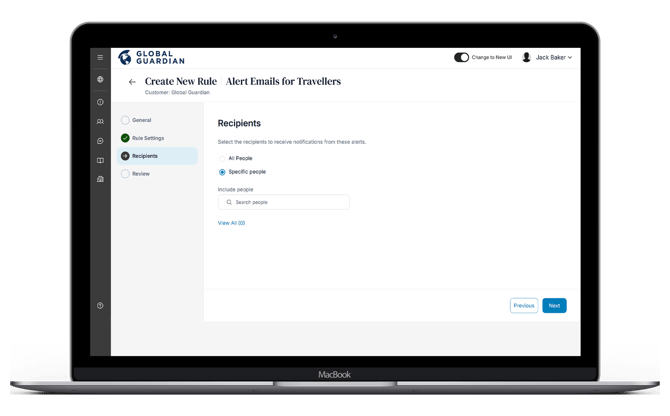
You can apply this rule to all users in your customer account, or select specific users within your platform to whom this rule will be applied. Then click "Next."
Review your alert rule settings and then click "Save." On the platform notifications page, you will see an overview of all alert rules. Click the drop-down to see the list of alert rules you have created per type: